rhoadley.net   music   research   courses   software   blogs

ARU    CMC2a    ACMC
CBHH    Sensor Technology    Sonic Art    Major Project    MA Resources


Resources:    Bioacoustics    Jitter    MaxMSP    OSC    Physical    PD       pTech    sTech    SuperCollider    C/Xcode

sTech Resources:     Home     Blog     Forum     Examples     Projects     Tasks     Tutorials


Sensor Technology Tasks

Arduino, Sensors and Music

Task 4 Name: Arduino, Sensors and Music Set: w5ii Due: Thursday 16th December 2010 Weighting: 10% Courses: stech
Prev Task: Arduino, MaxMSP, SuperCollider and Breadboards Next Task: Auduino
Task Summary All stech tasks

Different Ways of Connecting

You are recommended to restart your computer before attempting each of the following, especially when using MaxMSP. Experiments with the serial port(s) can have odd effects.


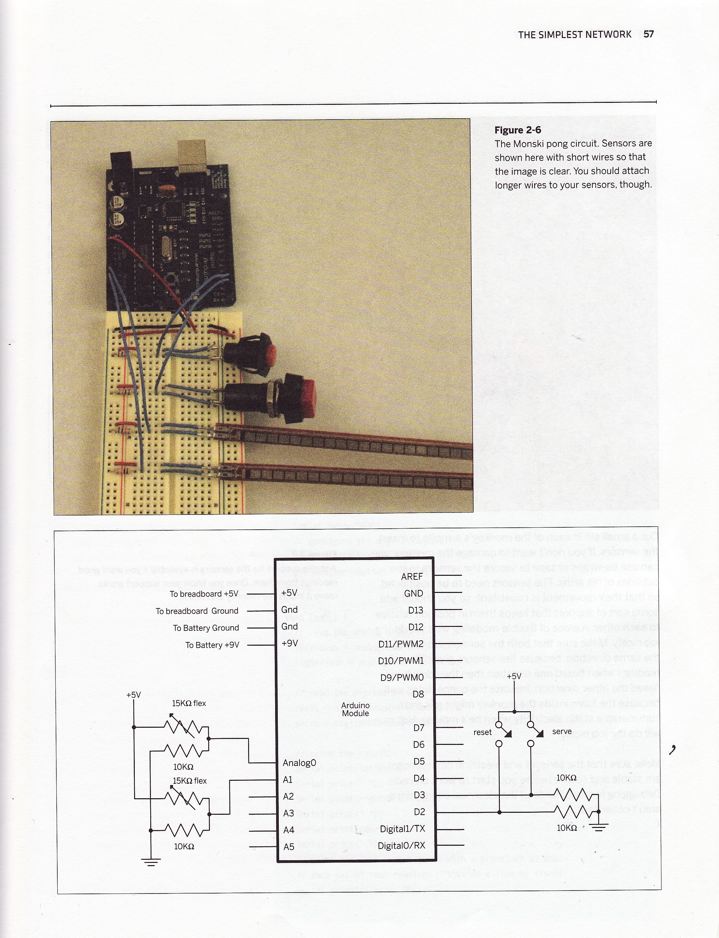
Using different sensors with the Arduino


to top of page The Task

  • Choose and obtain one or more sensors that you're interested in using.
  • Develop a simple demonstration use of this sensor using MaxMSP OR
  • Develop a simple demonstration use of this sensor using SuperCollider.
  • Each demonstration should display a considered use of the particular sensor(s) involved and should also show aesthetic flair in the implementation.
  • The demonstration should each be between ten seconds and one minute long.
  • Here's a list of sensors. Feel free to make your own!

  • Clearly, I don't want you to submit your Arduinos. That means you need to submit some documentary evidence that you've completed your task. The most obvious way to do this is to submit some sort of video of your task working. If you can't do this, take photos. Bear in mind that you'll get extra marks for 'added value', so try to adapt and make more interesting your files. Simply repeating what we've already done will get minimal marks.

Submission

  • Zip or Stuff your patches, demos, etc. into one file called your_student_number_"arduinosensors" (e.g. 0504335_arduinosensors.zip or 0504335_arduinosensors.sit), include a readme with your name and student number and, if necessary, how to use or just open the patch, and submit the whole thing to WebCT.
  • Keep a copy of the task and submit to the i-Centre on Thursday 13th May 2010